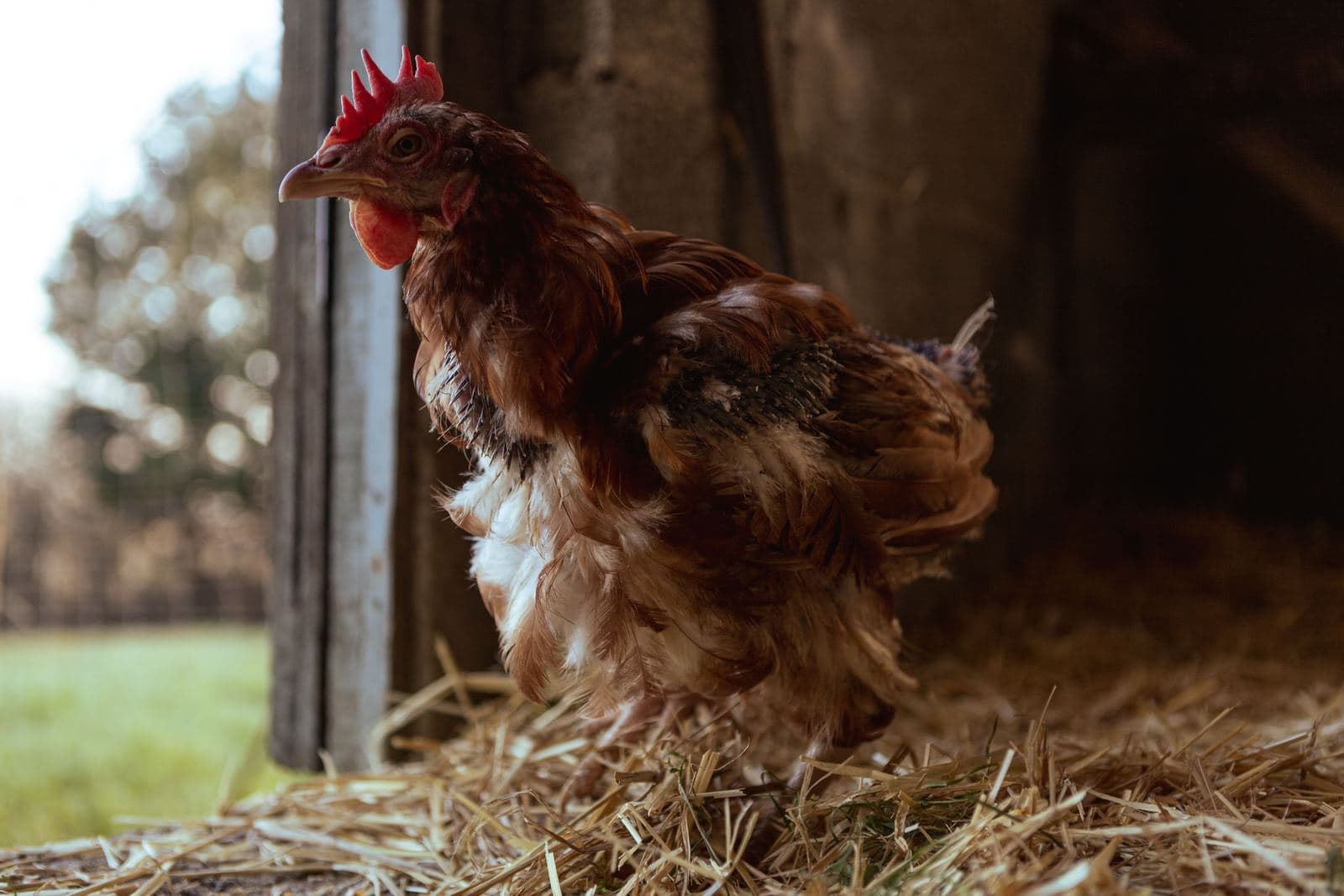
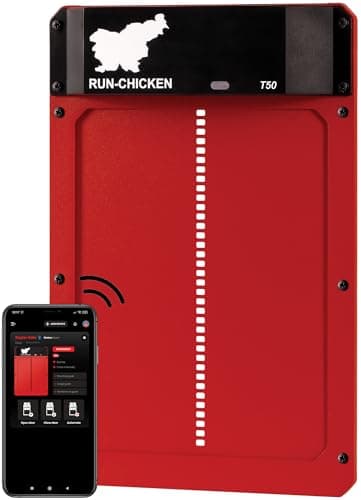
Run-Chicken T50 review: the door, read against its own manual
A complete aluminum door on two AA cells, with a motor lock and a year of published battery life. Its weak spots are all in the paperwork: a fixed opening, a warranty you only get by registering, and a product page and quick start guide that disagree about when it closes.
The Run-Chicken T50 is a complete aluminum door and frame that runs, by its maker’s figure, about a year on two AA cells and carries a motor lock meant to stop a predator lifting it. On the published specifications it is the simplest good automatic door available to a backyard keeper. The things to know before buying are all in its own paperwork: the 8 x 10 inch opening cannot be changed, the warranty is one year and only if you register the door, and the anti-pinch safety has to be switched on in the app.
We have not installed a T50 and we are not going to pretend otherwise. This review reads the two documents Run-Chicken publishes about it — the product page and the T50 / Eternal Quick Start Guide — against each other and against what the rest of this site already publishes about coops. Where the two documents agree, that is the specification. Where they disagree, we show you both.
Everything Run-Chicken publishes, and where it says it
Run-Chicken T50. 'Page' is the product page; 'Guide' is the Quick Start Guide. Both read 2026-09-17.
Specification
What Run-Chicken publishes
Where
Clear opening
8 x 10 in
Page
Opening to cut
7.9 x 9.8 in (L x H)
Guide
Door
9.5 x 14 in
Page
Full open height
24 in
Page
Weight
1.8 lb
Page
Power
2 x AA alkaline; brands such as Duracell recommended
Page and Guide
Battery life
Typical battery life of approximately 1 year
Page
Default schedule
15 min after sunrise and sunset (Page); 20 min (Guide)
Both — they differ
Offsets
Adjustable up to 60 minutes in the app
Page
Modes
Sunrise & Sunset, timer, or manual
Page
Connection
Bluetooth, through the Run-Chicken app
Guide
Predator claim
Motor-locking system prevents predators from lifting the door open
Page
Obstruction safety
Anti-pinch stop and reverse; must be enabled in the app
Page and Guide
Winter
Power Mode increases motor force for ice, snow and debris
Page
Operating temperature
None found
Neither
Warranty
Lifetime customer support (Page); one year, claimed by registering the door (Guide)
Both — they differ
Use
Outdoor use under natural light only; do not use indoors
Guide
Where the product page and the manual disagree
When it closes. The product page says the door “Opens 15 minutes after sunrise” and “Closes 15 minutes after sunset”. The Quick Start Guide says the default factory mode will “open every morning 20 minutes after sunrise and close 20 minutes after sunset”, and calls that ideal for 95% of users. Five minutes does not matter much on its own. It matters because the whole point of the product is that you are not there to check, so the first evening it runs, watch it and see which figure your door actually uses before you trust it with a late bird.
The warranty. The product page offers “lifetime customer support”, which is not a warranty. The Quick Start Guide is where the warranty is: “The one-year warranty can be claimed online by registering the door.” If you buy one, register it the day it arrives. Until this review, our own roundup recorded the T50’s warranty as “no term” from the product page alone; it has been corrected. For context, ChickenGuard publishes three years on its Pro opener, so the T50’s year is the shorter published term of the two that publish one.
The safety mechanism. The product page describes anti-pinch mode as something the door does. The Quick Start Guide adds that the safety mechanism “feature must be enabled in the Run-Chicken app”. Read together, that is an instruction, not a contradiction: turn it on during setup.
The opening is the one number you cannot change
The T50 is a whole door, not an opener, so you do not choose the size of the hole. You cut the wall to the maker’s figure and your birds use 8 by 10 inches for the life of the door. No extension publication we could find gives a pop-hole dimension to check that against — Oregon State’s coop design guide asks only that you “design a coop that closes the flock inside at night” — so the useful comparison is against the other doors on this site that publish an opening.
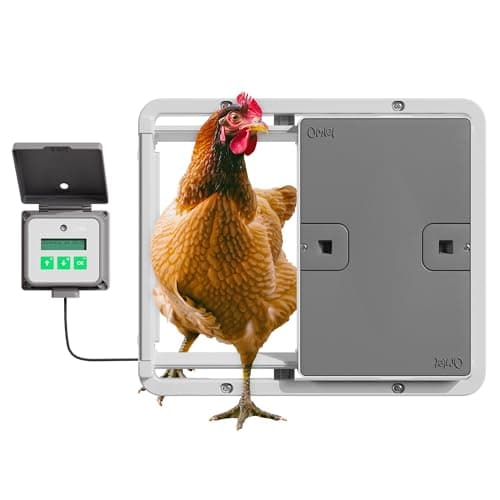
Run-Chicken does make a bigger door, and its own Amazon listing settles whether it is an option: the Giant is titled “Large Automatic Poultry Coop Door for Ducks & Turkeys, Not for Chickens.” So within Run-Chicken’s range, the T50’s 8 by 10 inches is the chicken door. If your largest bird already has to duck through your current pop hole, measure that hole before you order. If it is bigger than 8 by 10 and your birds need all of it, the Omlet below is the door on this site with the larger published opening.
Clearance: the 24 inches matter more than the door
Run-Chicken publishes a 14-inch door with a full open height of 24 inches. The door slides up, so the unit needs that height of flat wall when it is open. Plan for 24 inches from the bottom of the opening upward — that is the published figure, not a margin we have added. This is the specification that rules the T50 out of more coops than any other: a small flat-pack coop with a low wall, or a pop hole sitting just under a roof overhang, simply does not have it.
It is also the reason to decide where the door goes before you decide which door to buy. On a coop you are building, put the pop hole low on a tall wall. On a coop you already own, measure from the bottom of the existing hole to the first obstruction above it — a roof edge, a vent, a window, a trim board. Under 24 inches, look at an opener that fits the hole you have instead; the three-door comparison covers the ChickenGuard Pro, which is that kind of product.
Power: two AA cells, and what the Eternal changes
The T50 runs on two AA alkaline cells, and the product page publishes a “typical battery life of approximately 1 year.” That is the longest published battery life of the three doors this site compares — Omlet publishes up to six months on four AA cells — and it makes the T50’s running cost trivial: two cells a year. The Quick Start Guide recommends buying from brands such as Duracell. The app shows battery level, so a dying cell should not be a surprise.
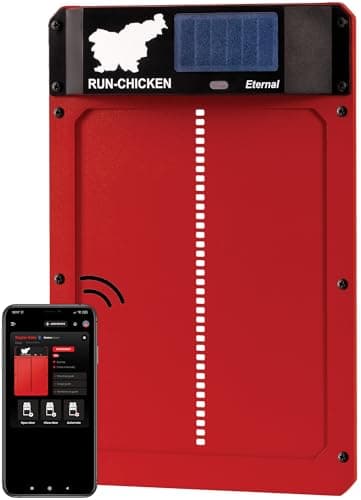
The Run-Chicken Eternal is the same door with the batteries recharged by a solar cell built into the drive unit. Every physical figure Run-Chicken publishes for it is identical to the T50’s: 8 x 10 inch opening, 9.5 x 14 inch door, 24 inches open, 1.8 lb. The only question is power, and its own product page answers that question twice, differently. It says “More than 5 years of operation before battery replacement under normal conditions,” and, on the same page, “Replace batteries approximately once per year.”
Control: an app you use from the sofa, not from work
The Quick Start Guide has you “connect to the door via Bluetooth” in the Run-Chicken app, and the product page describes the result as being able to “adjust schedules and settings from your sofa.” That phrase is accurate and worth taking literally. Bluetooth is a short-range link, neither document mentions WiFi or a hub, and we found no published range in either. The app shows door status and battery level when you are close enough to connect; it is not described anywhere as a way to confirm the door shut while you are away from home.
If that confirmation is the reason you want an automatic door, the Omlet Smart Autodoor publishes WiFi, and a limit that matters just as much: it works best within 30 feet of a router. One door is honest about being local; the other is honest about needing your home network nearby.
The motor lock, and what a door does not secure
Run-Chicken publishes that its “motor-locking system prevents predators from lifting the door open.” That addresses the obvious way into a door that slides vertically. It is the maker’s claim; nobody publishes a rating for it and we have not tested it. The page also says the aluminum door “cannot be chewed through by rodents,” which is a fair description of the material.
Two things the lock does not change. First, the door is scheduled: it closes after sunset whether or not every bird is inside, so a hen still in the run at that moment spends the night outside the coop. Watch the first week and adjust the offset in the app if you have a bird that goes in late. Second, it secures one opening. A coop with chicken wire over a vent, a gap at the eaves or a run with no apron is not made predator-proof by a good pop door — the predator-proofing page covers the rest, and half-inch hardware cloth is the material.
Winter, and the temperature figure that is missing
The product page says the T50 is “designed to withstand heat, cold, snow, and icing conditions”, and publishes a Power Mode that “increases motor force while enabled, helping the door overcome ice, snow, and debris buildup during winter conditions.” What we could not find in either the product page or the Quick Start Guide is an operating temperature range. Omlet and ChickenGuard both publish one, and for a door you are trusting through a freeze it is the missing figure we would most like to see. In a hard-winter climate, turn Power Mode on before the first freeze and keep an eye on the battery level in the app.
One maintenance instruction is worth repeating because it runs against instinct. When a sliding door starts to stick, the reflex is to grease the track. The Quick Start Guide says: “Do not lubricate the door! Grease will damage the rails!”
Who should buy the T50, and who should not
Decided on the published specifications above.
If this describes your coop
Buy
A new pop hole, or one you are happy to recut to 7.9 x 9.8 in, with 24 in of wall above it
Run-Chicken T50
The same, on a wall in full sun, and you never want to change a battery
Run-Chicken Eternal — accepting its two battery figures
Birds that need more than 8 x 10 in, or you want to check the door from indoors over WiFi
Omlet Smart Autodoor, within 30 ft of a router
Less than 24 in of wall above the hole, or a pop door you want to keep
An opener — see the three-door comparison
On what it publishes, the T50 earns its place at the top of our automatic coop door roundup: a metal door, the longest published battery life, a motor lock, and nothing to wire. It loses points where its documentation does — the missing temperature range, the warranty hidden in the manual, and two schedules for the same default. None of those is a reason not to buy it. All of them are reasons to read the Quick Start Guide before you cut a hole in your coop.
Heads up: some links on this page are affiliate links. If you buy through one we may earn a commission at no extra cost to you. It never changes a ranking, and we take no payment for placement. The full version.
The picks
The T50, and the two doors to buy instead
The door this page reviews, its solar sibling with identical dimensions, and the one door covered on this site that publishes a larger opening and a WiFi app.
Run-Chicken
Model T50 Automatic Coop Door
8 x 10 in opening
Best for: An aluminum door on two AA batteries
An aluminum, powder-coated door that runs a published year on two AA cells and reverses itself when it meets resistance — the whole unit, not an opener bolted to a door you supply.
#ad No live price feed yet, so no number is shown rather than a stale one. How this is funded.
Run-Chicken
Eternal Solar Automatic Coop Door
Integrated solar cell, 8 x 10 in opening
Best for: The T50 without battery changes
The same aluminum door, the same 8 x 10 inch opening and the same 24 inches of travel as the T50, with a solar cell in the drive unit recharging the batteries — worth the small premium only if its own product page can decide how often those batteries need replacing.
#ad No live price feed yet, so no number is shown rather than a stale one. How this is funded.
Omlet
Smart Automatic Chicken Coop Door
IPX6, tested -4 F to 150 F
Best for: Checking the door from indoors
The only door here that publishes an IP rating and a tested temperature range at both ends, with a WiFi app that answers the question every keeper asks at 10 p.m.: did it actually shut?
#ad No live price feed yet, so no number is shown rather than a stale one. How this is funded.
FAQ
Questions people actually ask
+Is the Run-Chicken T50 a good automatic coop door?
On its published specifications, yes. It is a complete aluminum door and frame with a published battery life of about a year on two AA cells, a motor lock against lifting, anti-pinch reversal and a winter Power Mode. We have not installed one. Its weaknesses are in the documentation: a fixed 8 x 10 in opening, no published operating temperature range, and a one-year warranty that appears only in the Quick Start Guide and must be claimed by registering the door.
+How long do the batteries last in a Run-Chicken T50?
Run-Chicken publishes a typical battery life of approximately one year on two AA alkaline cells, and its Quick Start Guide recommends brands such as Duracell. Battery level is shown in the Run-Chicken app, so check it before winter. We found no published operating temperature range.
+What size hole do I cut for a Run-Chicken T50?
The Quick Start Guide gives the opening to cut as 7.9 x 9.8 in, length by height. The door's published clear opening is 8 x 10 in, and the unit needs 24 in of height when open, so you need that much flat wall above the bottom of the opening.
+Does the Run-Chicken door have a warranty?
Yes, one year, but you have to register it. The Quick Start Guide states that the one-year warranty can be claimed online by registering the door. The product page mentions only lifetime customer support, so the term is easy to miss.
+Can I control the Run-Chicken T50 when I am away from home?
Not on anything Run-Chicken publishes. The Quick Start Guide has you connect to the door over Bluetooth, and the product page describes adjusting settings from your sofa. Neither mentions WiFi or a hub. If checking the door remotely is the point, the Omlet Smart Autodoor publishes WiFi, working best within 30 ft of a router.
+Run-Chicken T50 or Eternal?
They are physically identical on every published figure. The Eternal adds a solar cell in the drive unit. Its product page states both more than 5 years of operation before battery replacement and that batteries should be replaced approximately once per year. Choose the Eternal only if the coop wall is in sun most of the day; otherwise the T50's published year on alkaline cells is the unambiguous figure.
+Does the Run-Chicken door work in winter?
Run-Chicken says it is designed to withstand heat, cold, snow and icing, and publishes a Power Mode that increases motor force to push through ice, snow and debris. We found no published operating temperature range. The Quick Start Guide also warns not to lubricate the door, because grease damages the rails.
Where the numbers came from
Sources
Every figure cited on this page came from one of these documents. If one of them has changed since we read it, the number here is out of date and we would like to know.